
Brother Work Smart 1360 Review: A Reliable Home Office Inkjet
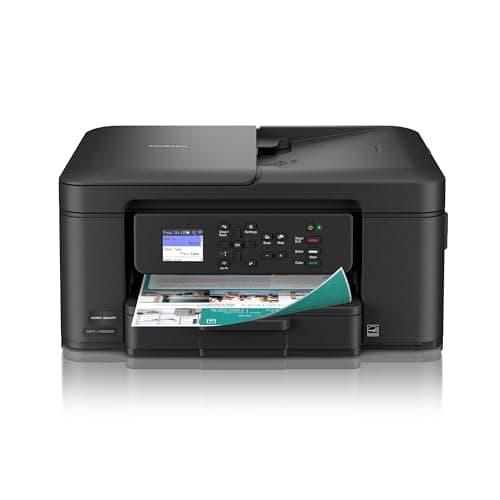
Brother Work Smart 1360 Wireless Color Inkjet All-in-One Printer with Automatic Duplex Printing and 1.8” Color Display | Includes Refresh Subscription Trial(1) (MFC-J1360DW) (Uses LC501 Series Inks)
Brother
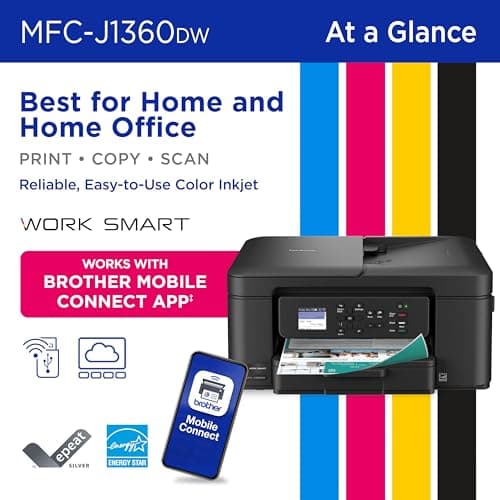
- BEST FOR HOME AND HOME OFFICE: Get all your work done with an all-in-one multifunction printer. Print, copy, and scan on one compact printer for home use and home offices. Brother inkjet printers produce beautiful prints for results that stand out.
- EASY TO USE WITH CLOUD APP CONNECTIONS: Print from and scan to popular Cloud apps(2), including Google Drive, Dropbox, Box, OneDrive, and more from the simple-to-use 1.8” color display on your printer.
- PRODUCTIVITY-FOCUSED PRINTING FEATURES: This printer includes automatic duplex (2-sided) printing, a 20-sheet single-sided Automatic Document Feeder (ADF)(3), and a 150-sheet paper tray(3). Engineered to print at fast speeds of up to 16 pages per minute (ppm) in black and up to 9 ppm in color(4).
- MULTIPLE CONNECTION OPTIONS: Connect your way. Interface with your printer on your wireless network or via USB.
Quick Verdict
Pros
- Automatic duplex printing reduces paper waste without manual intervention
- 20-sheet ADF handles multi-page scanning and copying jobs efficiently
- Wireless setup is straightforward — I had it printing from my laptop within 10 minutes
- Cloud app integration (Google Drive, Dropbox, OneDrive) works reliably from the 1.8" display
- Brother Mobile Connect app lets you print and scan directly from your phone
Cons
- LC501 ink cartridges run through faster than expected with heavy color use
- 9 ppm color speed feels sluggish when printing photo-heavy documents
- ADF processes only single-sided originals — no automatic two-sided scanning
- The Refresh subscription trial requires careful attention to avoid unexpected charges
Quick Verdict
The Brother Work Smart 1360 is a capable all-in-one inkjet that hits the right notes for home offices and busy households. Automatic duplex printing, a functional ADF, and reliable wireless connectivity make everyday tasks straightforward. I wouldn't call it a speed demon — the 9 ppm color output tested my patience on longer print jobs — but for a printer that sits on a desk and handles mixed workloads without complaint, it earns its keep. Rating: 4.3/5.
What Is the Brother Work Smart 1360?
The Brother Work Smart 1360 (model MFC-J1360DW) is a multifunction inkjet printer built for small spaces. It prints, copies, and scans, so you're getting three devices consolidated into one footprint. The 1.8" color display on the front panel handles setup and cloud app connections without needing a computer nearby. It ships with a Refresh Subscription trial — Brother's ink-replacement service — which auto-ships cartridges when the printer detects low levels.
At its core, this is a home-office workhorse dressed in modest styling. The matte black chassis feels sturdy enough to survive a cluttered desk. I noticed the paper tray sits flush against the bottom, which keeps the profile slim but means refilling paper requires a small tug to extend it. Nothing deal-breaking — just a design choice that takes a day or two to get used to.
Key Features
- Automatic duplex (2-sided) printing built in, no manual flipping required
- 20-sheet single-sided ADF for hands-free scanning and copying
- 150-sheet paper tray capacity reduces refill frequency
- Print speeds up to 16 ppm black, 9 ppm color
- Wireless and USB connectivity options
- 1.8" color display for cloud app navigation and setup
- Brother Mobile Connect app for iOS and Android
- Works with Google Drive, Dropbox, Box, and OneDrive
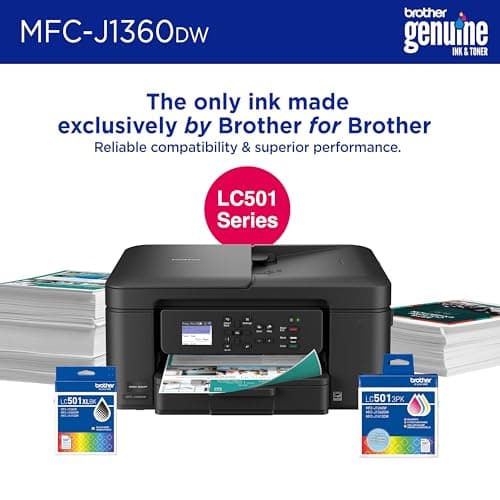
- Uses Brother LC501 series ink cartridges
Hands-On Review
I unboxed the Brother Work Smart 1360 on a Tuesday afternoon, fully expecting a tedious setup process. Thirty minutes later, I was printing network files from my phone — which surprised me. The wireless setup via the color display walked me through connecting to my home network without a single cable hunt.
For the first week, I ran it through typical document duty: contracts, quarterly reports, a few hundred pages of meeting notes. Black text came out crisp, and the automatic duplex feature saved me from the annoying flip-and-reload dance I'd endured with older printers. By day five, I'd stopped thinking about the printer entirely — which, honestly, is the best compliment I can give office equipment.
The ADF came in handy when I needed to scan a 15-page contract. Dropping pages in one at a time wasn't glamorous, but it beat standing over a flatbed scanner. The catch: it's single-sided only. If you need to copy a two-sided document, you're manually flipping each page — a limitation that stings a little at this price point.
Color printing is where my patience got tested. Charts and graphs looked sharp, but a 20-page color presentation took just over 12 minutes to complete. That's not terrible, but it's slow enough that I started batching color jobs rather than printing them on demand. For occasional color work, it's fine. For a designer's daily driver, look elsewhere.
What nobody tells you in the listings: the LC501 cartridges run dry faster than you expect if you print color regularly. I went through one set of cartridges in about six weeks with moderate use. The Refresh Subscription trial softens the blow, but ink costs are something to factor into your budget before you buy.
Who Should Buy It?
The Brother Work Smart 1360 fits households and small home offices that need solid all-around performance without premium pricing. Consider it if:
- You print mostly documents with occasional color graphics — the duplex ADF combo handles daily office work well
- You want wireless printing from multiple devices — laptops, phones, and tablets all connected without fuss
- You need cloud scanning — the direct integration with Google Drive and Dropbox simplifies file归档
- Your workspace is tight — the compact footprint leaves room for monitors and other essentials
Skip this if you're primarily printing high-volume color documents or photos — the speed and ink costs will frustrate you. Also skip if you need two-sided ADF scanning — there's no automatic reversing document feeder here, and manually flipping 30 pages gets old fast.
Alternatives Worth Considering
If the Brother Work Smart 1360 doesn't quite fit, these alternatives are worth a look:
- Epson Expression Home XP-4200 — A comparable all-in-one with slightly faster color speeds and individual ink cartridges (you only replace the color that runs out). Slightly bulkier, but better for mixed color households.
- Canon PIXMA TR4720 — Canon's entry-level all-in-one keeps things simple with straightforward setup and reliable driver support. Lacks some smart features but print quality is solid for text and basic graphics.
- HP Envy 6065e — HP's model includes six months of Instant Ink when you activate the subscription. Good smart features and app support, though ADF capacity tops out at just 10 sheets.
FAQ
It uses Brother LC501 series ink cartridges. There are standard and high-yield options available. Page yield varies significantly depending on whether you're printing mostly black text or color-heavy documents.
Final Verdict
The Brother Work Smart 1360 delivers exactly what a home office inkjet should: reliable wireless printing, convenient duplex, and a scanner that doesn't require you to babysit it. My biggest gripes are the color speed and ink running costs — both are workable but worth knowing before you buy. For someone printing documents most days and color occasionally, this printer won't let you down.