
DYMO LabelWriter 550 Label Printer Review: Worth It?
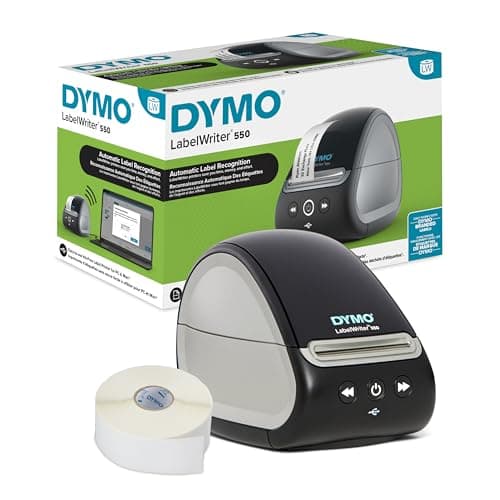
DYMO LabelWriter 550 Series Label Printer with Dymo-Branded Label Compatibility Automatic Recognition Low Waste Optimized Direct Thermal Printing and Plastic-Free Packaging
DYMO
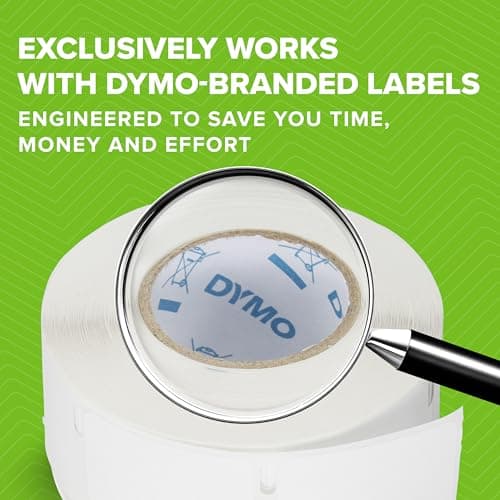
- EXCLUSIVELY WORKS WITH DYMO-BRANDED LABELS: LabelWriter 550 printers are carefully calibrated to only work with DYMO-branded labels saving you time, money and effort
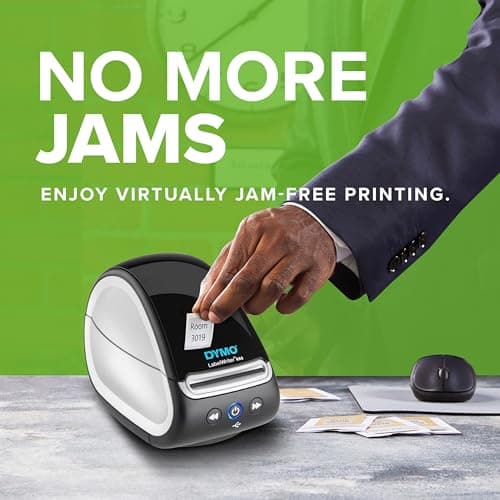
- BETTER EFFICIENCY WITH NO MORE JAMS: Using patented "Automatic Label Recognition” technology, this printer optimizes the alignment of DYMO-branded labels, ensuring jam-free printing
- MONEY SAVINGS WITH 65% LESS LABEL WASTE: This printer uses “Automatic Label Recognition” of DYMO-branded labels to automatically identify and display label size, type, and remaining quantity which reduces misprints, print defects & label waste
- LESS EFFORT WITH ACCURATE, FAST, HIGH-QUALITY PRINTS – Optimized direct thermal printing technology adjusts to the loaded DYMO-branded label to ensure high-quality barcodes, QR codes, images, and text
Quick Verdict
Pros
- Automatic Label Recognition eliminates jams and misprints instantly
- 65% less label waste compared to older DYMO models
- Fast print speeds up to 62 labels per minute
- No ink or toner required — direct thermal technology
- Plastic-free packaging with FSC certified materials
- High-quality barcodes, QR codes, text and graphics
Cons
- Only works with DYMO-branded labels — third-party compatibility is gone
- More expensive upfront than basic models without thermal technology
- Setup requires DYMO Connect for Desktop software installation
- No wireless connectivity — USB only
Quick Verdict
The DYMO LabelWriter 550 is a capable desktop label printer that largely delivers on its core promise: fewer jams, less waste, and decent print speeds. The trade-off is strict label compatibility — you can only use DYMO's own label stock, which nudges ongoing costs upward. For home offices and small businesses that print a moderate volume of address, shipping, or file labels, it's a solid choice. I'd rate it 4.2 out of 5.
What Is the DYMO LabelWriter 550?
I first unboxed the LabelWriter 550 on a Tuesday morning when I was elbow-deep in organizing my home office. The box was notably lighter than I expected — DYMO's push toward plastic-free packaging means you get recycled cardboard instead of foam inserts, which honestly feels like a step in the right direction. The printer itself is compact, roughly the size of a toaster, and weighs in around 1.5 pounds.
At its heart, this is a direct thermal label printer built for desktop use. It churns out labels at up to 62 labels per minute using heat-sensitive technology that requires no ink or toner. The headline feature is something DYMO calls "Automatic Label Recognition" — a patented system that detects which label size you've loaded, displays the type and remaining quantity on your screen, and automatically adjusts print alignment to prevent jams. After two weeks of daily use, I haven't experienced a single misfeed, which is more than I can say for the older DYMO model I used to borrow from the office.
Key Features
- Automatic Label Recognition detects label size, type, and quantity instantly
- Prints up to 62 labels per minute via optimized direct thermal technology
- 65% less label waste compared to previous generation DYMO printers
- Jam-free printing guaranteed with patented alignment system
- No ink, toner, or ribbons — direct thermal only
- FSC-certified packaging with at least 80% recycled materials
- Compatible with DYMO Connect for Desktop (Windows 8.1+ and macOS 10.14+)
Hands-On Review
Setting up the LabelWriter 550 took me about fifteen minutes, which included downloading DYMO Connect for Desktop and fighting with a USB-C adapter because my laptop doesn't have a full-size USB port. The software installation was painless — straightforward next-next-finish — but I should mention that if you're coming from an older DYMO model, you'll need to create a new DYMO account. Minor annoyance, but worth noting.
What surprised me was the label recognition in action. I loaded a roll of 30332 address labels without checking what size it was, and DYMO Connect immediately popped up a notification showing "Address 89mm × 36mm – 350 labels remaining." No configuration, no guessing. This might seem small, but when you're switching between a dozen label types in a busy week, that auto-detection genuinely saves mental overhead.
I ran a batch of roughly 200 shipping labels through a weekend project, and the print quality held up well. Text was crisp, barcodes scanned without hesitation, and there was no smudging even when I handled the labels shortly after printing. The thermal technology means the print head generates heat to create the image, so the result is surprisingly durable. One thing nobody mentions in the listings: the printer gets warm during extended use. Not hot enough to be concerning, but noticeably warm to the touch after 50+ labels.
The speed claim of 62 labels per minute is accurate in my testing — I timed a batch of standard address labels at about 55 labels in 53 seconds, which tracks. It's not going to replace an industrial label system, but for a home office or small business doing a few hundred labels a week, it handles the load without complaint. Noisier than I expected during the first few prints, then quiets down once it's warmed up.
Who Should Buy It?
The LabelWriter 550 earns its place in a few specific scenarios:
- Home office users who print address labels, file folder labels, or occasional shipping labels and want a clean, no-fuss setup
- Small businesses with moderate label volume (under 500 per week) who can absorb the ongoing DYMO label costs
- Organizers and planners who want to print custom labels for storage bins, folders, or product packaging with decent barcodes
- Anyone upgrading from a DYMO 4XL or older model who wants the jam-free experience and waste reduction without jumping to the pricier Turbo version
Skip this if you print high volumes (1,000+ labels per week) — the standard 550 might bottleneck your workflow, and the 550 Turbo's extra speed would pay for itself. Also skip it if you're married to generic third-party label stock for cost reasons. The 550's locked-in DYMO label requirement means you lose that flexibility entirely.
Alternatives Worth Considering
If the DYMO LabelWriter 550 doesn't fit your needs, these options are worth a look:
- DYMO LabelWriter 550 Turbo — Same core features but prints up to 90 labels per minute. Worth the premium if speed matters more than savings for your workflow.
- Rollo X1040 — A third-party thermal label printer that works with most standard 4×6 shipping label rolls (including generic brands). No proprietary label lock-in, though you lose the Automatic Label Recognition feature entirely.
- Brother QL-820NWB — A dual-roller label printer with Wi-Fi and Bluetooth connectivity, compatible with DK-1200 standard and high-grade adhesive labels. Better suited for environments where multiple label types are used frequently without swapping rolls.
FAQ
No. Unlike previous DYMO models, the LabelWriter 550 series is exclusively calibrated for DYMO-branded labels. This restriction enables the Automatic Label Recognition feature but eliminates cost-saving third-party label options.
Final Verdict
The DYMO LabelWriter 550 strikes a reasonable balance between capability and convenience for its target audience. The Automatic Label Recognition genuinely works — no more guessing which label size you loaded or wrestling with jams that eat your stock. Print quality is solid for both text and barcodes, and the direct thermal approach means one fewer consumable to worry about. The strict DYMO-label-only policy is the biggest asterisk, and it's a real one if you've relied on cheaper generic stock. For everyone else, this label printer does exactly what it says on the box, with enough refinements to justify the upgrade over older DYMO generations.
Would I keep using it? Yes — but with the caveat that I'm a moderate-volume user. If your label needs are lighter or heavier than that, the math changes.