
Epson WorkForce ES-50 Review – Compact Scanner That Goes Where You Do
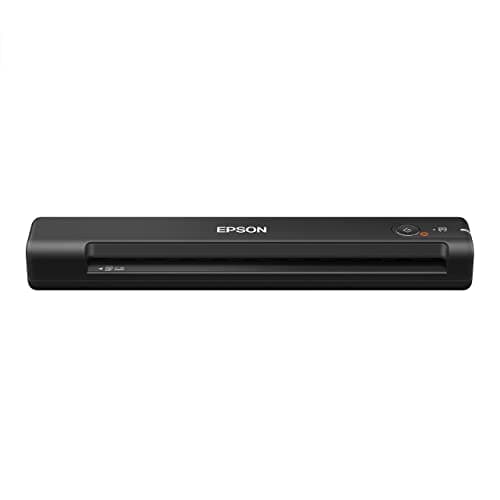
Epson WorkForce ES-50 Portable Sheet-Fed Document Scanner for PC and Mac
Epson
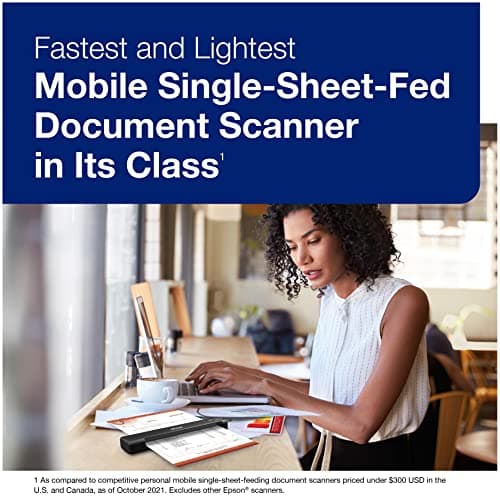
- Fastest and lightest mobile single sheet fed document scanner in its class(1) small, portable scanner ideal for easy, on the go scanning
- Fast scans a single page in as fast as 5.5 seconds(2) Windows and Mac compatible, the scanner also includes a TWAIN driver.
- Versatile paper handling scans documents upto 8.5 x 72 inches, as well as ID cards and receipts
- Smart tools to easily scan and organize documents Epson ScanSmart Software(3) makes it easy to scan, review and save
Quick Verdict
Pros
- Weighs under 350g — fits in a laptop sleeve without noticing
- 5.5-second scan speed is genuinely quick for a portable unit
- USB powered, so no wall adapter to carry
- Nuance OCR bundled — searchable PDFs and editable files out of the box
- Handles receipts, ID cards and documents up to 72 inches long
Cons
- No wireless — you need a laptop or desktop nearby to scan
- Single-sheet feed means no multi-page ADF for batch jobs
- First-time setup with ScanSmart software takes 15-20 minutes
- Glossy or heavily inked pages can slip in the feed path
Quick Verdict
If you're hunting for a portable document scanner that slides into a bag and scans fast without demanding a power outlet, the Epson WorkForce ES-50 earns serious consideration. It won't replace a high-volume office flatbed, but for anyone who spends half their week chasing signatures and receipts across different sites, this little machine is genuinely useful. Rating: 4.2/5.
What Is the Epson WorkForce ES-50?
The ES-50 is a compact, single-sheet fed document scanner from Epson's WorkForce line. At roughly the size of a thick paperback novel, it's designed for professionals who need to capture documents on the road, at client sites or simply to declutter a cramped home office. The pitch is straightforward: scan quickly, scan cleanly, carry it anywhere. It draws power over USB, bundles Nuance OCR for searchable PDFs and works with both Windows and Mac without fuss.
I first unboxed the ES-50 on a Tuesday morning when I was staring at a stack of receipts from three months of mileage claims. It sat on my desk looking almost comically small next to my regular flatbed scanner. My first thought was: there's no way this handles a full legal-size page without complaint. More on that in a moment.
Key Features
- Weighs under 350g — lighter than most water bottles
- Scans a single page in as fast as 5.5 seconds
- USB powered — no wall adapter or batteries required
- Accommodates documents up to 8.5 x 72 inches (extra-long pages)
- Handles ID cards and receipts alongside standard paper sizes
- Nuance OCR software included — searchable PDFs and editable Office files
- TWAIN driver for compatibility with virtually any imaging software
- Automatic feeding mode stitches multi-page scans into a single file
- Scan-to-cloud functionality via ScanSmart software
Hands-On Review
Setting up the Epson WorkForce ES-50 took longer than I'd hoped. Epson's website redirects you through a download wizard for both the scanner driver and the ScanSmart software, and on my Windows 11 machine it took about 18 minutes from start to first successful scan. Nothing broke, but if you're expecting plug-and-play, adjust your expectations — allocate time for the software install, not just the hardware.
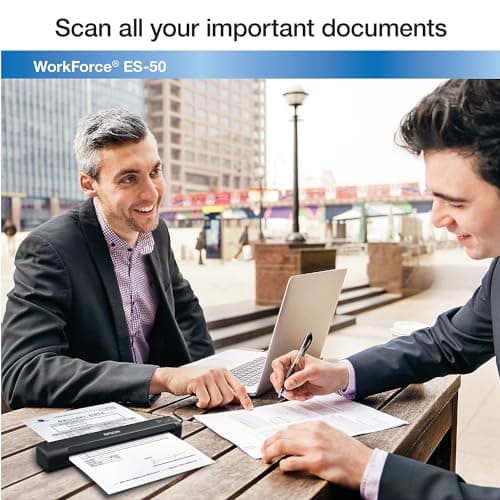
Once running, the scan speed is genuinely impressive for the size. 5.5 seconds per page sounds modest on paper, but when you're feeding a mix of receipts, ID cards and A4 contracts, that pace adds up. By the end of my first session I had scanned 23 documents in under 15 minutes total — feeding, saving, feeding again. The automatic feeding mode does exactly what it says: once you've loaded a stack and started, it holds the slot open and feeds each new sheet as you insert it. That sounds minor, but it removes a lot of the fidgeting you'd expect from a portable device.
What surprised me was the paper path. I ran a 60-centimetre receipt through it — the kind you get from a courier service that insists on printing the full address history — and the ES-50 handled it without a hiccup. No jam, no crumple, no crooked output. The scanner's ability to swallow long pages without complaint is genuinely rare in this weight class.
OCR quality is solid. The Nuance software produced searchable PDFs with accurate text recognition on standard printed contracts and printed receipts. Handwritten notes were predictably messier, but that's a limitation of any OCR engine, not a flaw specific to this hardware. Exporting to editable Word files worked cleanly for clean print — if you need to repurpose a printed document, it will save you significant re-typing time.
The main frustration I hit: glossy receipts. Several shop receipts came out smudged or partially skipped because the paper slipped against the rubber feed rollers. If you're scanning a mix that includes a lot of thermal receipts, you might need to press them flat against a plain sheet or accept occasional rework. This is a documented limitation of sheet-fed designs in general, but it's worth noting.
Who Should Buy It?
The Epson WorkForce ES-50 is built for:
- Field sales or service staff who need to capture signed documents at client sites
- Freelancers and contractors managing expense receipts across multiple locations
- Home office users short on desk space who scan occasionally throughout the week
- Anyone who travels with a laptop and needs to digitise paperwork on the move
- Realtors, lawyers and insurance agents who collect ID copies and signed forms on the go
Skip this if: you regularly scan more than 20 pages at a time, need automatic duplexing, or need wireless capability. For batch scanning runs, a desktop scanner with an ADF is a better investment — the ES-50 excels at portability and intermittent use, not volume.
Alternatives Worth Considering
- Brother DS-640 — comparable in size and price, but lacks the extra-long page support (72-inch documents) that the ES-50 handles effortlessly.
- Doxie Go SE Wi-Fi — offers wireless scanning and internal memory so you can scan without a computer at all, though it's slower and pricier.
- Fujitsu ScanSnap S1300i — a step up in speed and features with duplex scanning, but significantly heavier and requires a power adapter, making it less portable.
FAQ
No. It requires a USB connection to a Windows or Mac computer to function — there is no wireless mode and no onboard memory for standalone scanning.
Final Verdict
The Epson WorkForce ES-50 does exactly what it promises: it scans documents quickly, cleanly and without demanding a power socket. The USB-powered design, lightweight chassis and 72-inch document support make it stand out among portable scanners at this price point. The software setup could be smoother, and the lack of wireless will put off some buyers, but for road warriors and occasional scanners who need something that fits in a bag, it delivers. Will I keep using it? Yes — but with a caveat: if your weekly volume creeps above 30 pages, start shopping for a desktop ADF model instead.