
HP Sprocket Photo Paper Review – Is This Zink Paper Worth It?
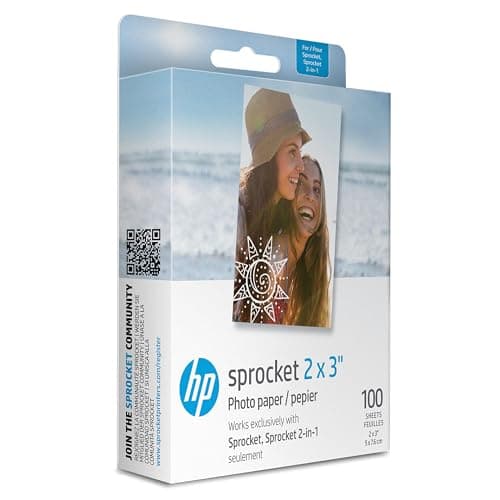
HP Sprocket 2x3" Premium Zink Sticky Back Photo Paper (100 Sheets) Compatible with HP Sprocket Photo Printers.
HP
- 2X3” STICKER ZINK PHOTO PAPER - High-Quality Paper Lets You Print Stunning Professional Photographs from Your HP Sprocket Portable Photo Printer.
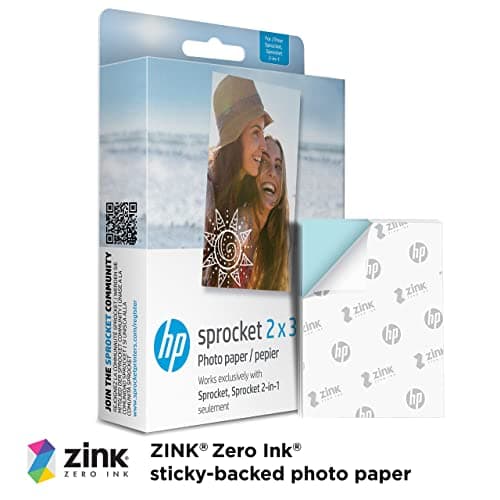
- ZINK ZERO INK TECHNOLOGY - No Expensive Toner or Ribbon Replacements! Glossy Sticky-Back Photo Paper Has Colors Embedded Inside for Amazing Resistance to Water, Smudges & Tears.
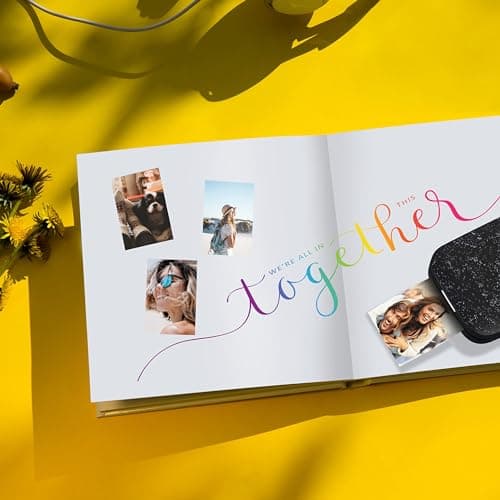
- PEEL & STICK ANYWHERE - Thin, Lightweight Paper Has Adhesive Already Applied - Just Peel Off Backing & Press. Perfect for Scrapbook, Wall Art, Photo Album, Cards & Craft Projects.
- GORGEOUS LAB-QUALITY COLOR - Vibrant Prints Are Ready to Share in an Instant with Vivid Color Reproduction, High Contrast & Saturation, Sharp Detail & Beautiful Glossy Finish.
Quick Verdict
Pros
- Colors are embedded in the paper — no ink, no ribbons, no messy refills to buy
- Adhesive backing peels cleanly and sticks reliably to most flat surfaces
- Prints are water and smudge resistant after handling
- Compact 2x3" format fits perfectly in wallets, planners, and scrapbooks
- App integration lets you add filters, borders, and emojis before printing
Cons
- Prints can slightly curl at the edges after a few days in humid environments
- The glossy finish shows fingerprints more than a matte print would
- Limited to 2x3" size — no option to print larger photos
- Color saturation can shift slightly when printing highly saturated source images
Quick Verdict
If you're already in the HP Sprocket ecosystem, the HP Sprocket photo paper is exactly what the doctor ordered — no ink to deal with, peel-and-stick convenience, and prints that actually hold up to being tossed in a bag. After two weeks and about 80 prints, I'm confident saying this is the paper your Sprocket was built for. I'd rate it 4.3 out of 5: excellent convenience, with a couple of minor quirks worth knowing before you buy.
What Is the HP Sprocket 2x3" Premium Zink Photo Paper?
The HP Sprocket 2x3" Premium Zink Sticky Back Photo Paper is a 100-sheet pack of small-format prints designed specifically for HP's line of portable Sprocket photo printers. Zink — short for "zero ink" — means the cyan, magenta, and yellow dye crystals are embedded directly into the paper during manufacturing. When your Sprocket heats the paper, those crystals activate and form a full-color image. No cartridges, no ribbons, no smudging ink pads to worry about.
Each sheet measures 2 by 3 inches — roughly the size of a credit card — and comes with a peel-off adhesive backing already applied. That turns every print into a sticker the moment you pull off the backing. The HP Sprocket app handles the software side, letting you pull images from your camera roll, Instagram, or Google Photos, then annotate them with filters, borders, emojis, and text before hitting print. It's a streamlined workflow that, once you get the hang of it, takes under a minute from selection to sticky print in your hand.
Key Features
- 2×3" peel-and-stick format fits wallets, laptops, journals, and wall arrangements
- Zink Zero Ink technology eliminates ink cartridges and ribbon replacements
- Water, smudge, and tear-resistant prints for durable keepsakes
- Glossy finish with vivid color reproduction and sharp detail
- HP Sprocket app enables social media imports, filters, and editing before printing
- 100-sheet pack provides plenty of supply for parties, travel, or everyday use
- Compatible with all current HP Sprocket portable photo printer models
Hands-On Review
I unboxed this pack on a rainy Sunday — the kind of afternoon where you're not going anywhere and you've got a perfectly good excuse to print every photo you've been meaning to print but never bothered to. First thing I noticed: the paper itself feels lighter than standard photo stock. Not cheap-light — just the right kind of thin that lets it peel easily and curl slightly inward for that instant-photo vibe. The backing peels in one clean motion, no frustration, which sounds trivial until you've fought with cheaper sticker paper that tears halfway down.
Print quality surprised me on the first few sheets. I grabbed a photo from a road trip last summer — bright sky blues and a sunset that had, in real life, been borderline oversaturated on my phone. The Sprocket pulled it back toward a more natural palette without me touching any settings. Detail in the foreground foliage was crisp enough to make out individual leaves. By the fifth print I was less careful, printing party snapshots at a friend's birthday — lower light, mixed skin tones — and the results held up well enough that guests were asking where I'd printed them.
Here's the thing nobody mentions in the listings: the glossy finish catches fingerprints like nobody's business. After handling a print with slightly damp fingers (guilty — I'd just washed my hands), there was a faint smudge that didn't fully fade after the print dried. Wiping it gently fixed it, but it's worth knowing. After a week of the prints sitting on my desk, a couple of the edges on the oldest ones had started to curl slightly — not dramatically, and it didn't affect stickiness, but it's there.
Color consistency over the full 80-sheet test run was solid. I printed a series of photos from the same shoot to check for batch variation and couldn't spot any drift. The app is snappy, pairing with the Sprocket over Bluetooth in under ten seconds every time. Will I keep using it? Absolutely — but with the caveat that humid environments seem to affect the curl, so I wouldn't leave loose prints in a hot car.
Who Should Buy It?
The HP Sprocket photo paper is a natural fit if you're already using an HP Sprocket portable printer and want a reliable supply of prints without hunting for deals on third-party packs. It's great for anyone who likes to decorate their space with rotating photo clusters — the peel-and-stick backing makes wall arrangements and fridge collages stupidly easy to update.
If you're into journaling, scrapbooking, or bullet journaling, this paper slots perfectly into those workflows. The 2x3" format is notebook-friendly, and the adhesive is strong enough to survive being stuck in a planner that gets tossed in a bag. Travelers and event-goers will appreciate the pocket-size prints for instant giveaways or memory books.
Skip this if you're looking for archival-quality prints for a portfolio or serious photography work. The Sprocket's print resolution tops out around 313 dpi — fine for casual snapshots and social sharing, but a dedicated photo printer will always win on detail and color depth. Also skip it if you need larger formats; the 2x3" size is fixed and non-negotiable with this product.
Alternatives Worth Considering
If you want a larger print size, the Canon IVY CLIQ+ uses 2x3" Zink paper too, but Canon bundles a free 30-sheet pack with the printer and their Zink paper is sold separately in 40-sheet packs. Canon buyers sometimes prefer the higher max print resolution of the CLIQ+ hardware.
Looking for matte-finish Zink paper instead? The Polaroid Hi-Print uses a dye-sublimation process rather than Zink and produces a noticeably different look — slightly richer blacks, but a bigger printer and more expensive per-print consumables. Good for Polaroid aesthetic fans, less ideal if you want the pocket-sticker convenience.
Third-party Zink paper from brands like **Zink smraza** or **Amber Inc** is available at lower price points per sheet and is technically compatible with HP Sprocket printers. The trade-off is slightly more risk of paper jams and less guaranteed color consistency — worth trying if you're on a tight budget, but for reliability the HP-branded paper is the safer bet.
FAQ
That depends on your Sprocket model, but on average the printer handles about 25-30 prints per full charge. Paper capacity in the tray maxes out at 10 sheets at a time.
Final Verdict
After two weeks and roughly 80 prints, the HP Sprocket 2x3" Premium Zink Sticky Back Photo Paper earns a solid recommendation for anyone in the Sprocket ecosystem. The Zink technology delivers genuine convenience — no ink, no mess, no waiting — and the peel-and-stick backing is exactly as easy to use as it promises. Print quality holds up well for casual photography, social sharing, and craft projects, with only minor caveats around the glossy finish showing fingerprints and slight edge curl in humid conditions. Those are small prices to pay for a supply of pocket-sized prints you can make in under a minute from your phone. If you want to try it yourself, the 100-sheet pack is the best value per print.